
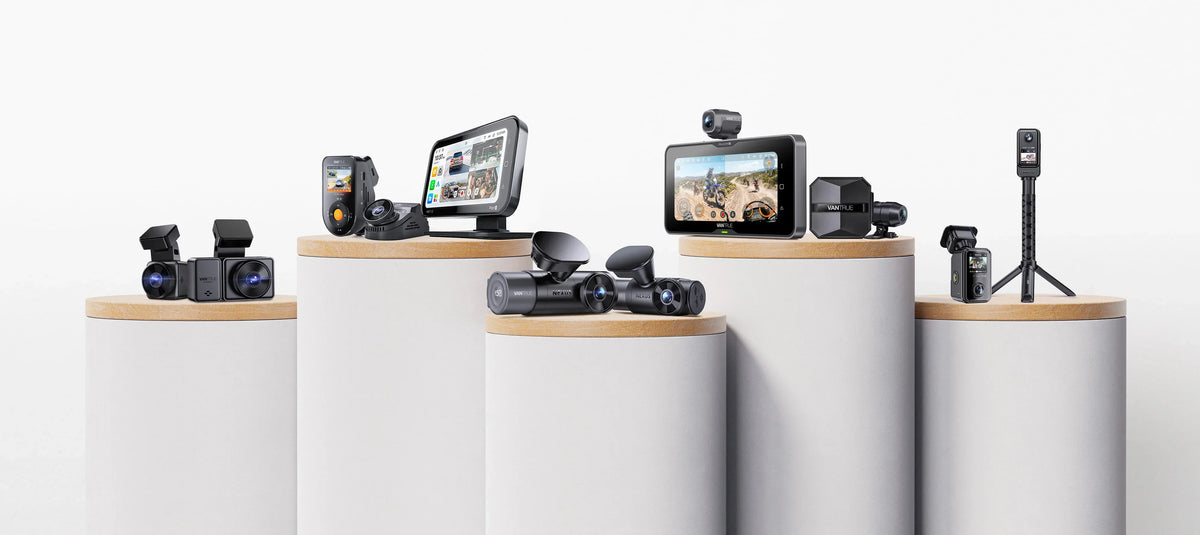
Quick answer: which Vantrue dash cam should you buy?
-
E1 Pro vs E1 Pro S: Both are compact, easy-to-install 4K dash cams. Choose the E1 Pro S for enhanced 4K (HDR, STARVIS 2 and PlatePix 2.0) that keeps plates readable, handles tunnel exits and harsh glare with ease, and stays sharp at night and in shaded roads, plus 1s Turboboot and ultra-low-power 24/7 AOV parking mode. Choose the E1 Pro if you mostly drive daily and want reliable 4K recording with basic parking monitoring.
-
N2X vs N4S: Both are front and interior dash cams that record the road ahead and the vehicle interior, ideal for rideshare driving. Choose the N4S if you also want the road behind you covered, with a waterproof 2.5K rear camera and a sharper 2.5K interior camera for full three-channel protection. Choose the N2X for the simplest install, with no rear cable to route.
-
N4 Pro S vs N5S: Choose the N4 Pro S for a 4K car front camera in a three-channel system that covers the road ahead, the road behind and the vehicle interior. Choose the N5S for the widest coverage: a four-channel system with an added interior camera for the back seat, so every direction and every seat is on record.
Every model below records to a local microSD card. Remote viewing and alerts need Vantrue's optional LTE module on the models that support it, sold separately.
Vantrue dash cam specs side by side
Video and hardware
|
Spec |
E1 Pro |
E1 Pro S |
|
Channels |
1 (front) |
1 (front) |
|
Front resolution |
4K, 3840×2160 @ 30 fps |
4K, 3840×2160 @ 30 fps |
|
Front sensor |
Sony STARVIS 2 IMX678 |
Sony STARVIS 2 IMX678 |
|
PlatePix™ |
PlatePix™ 1.0 |
PlatePix™ 2.0 |
|
Front lens |
158° |
158° |
|
Screen |
1.54" IPS LCD |
1.54" IPS LCD |
|
Max microSD |
1 TB |
1 TB |
| Spec | N2X | N4S | N4 Pro S | N5S |
| Channels | 2 (front + cabin) | 3 (front + cabin + rear) | 3 (front + cabin + rear) | 4 (front + rear + 2 cabin) |
| Front resolution | 2.7K, 2592×1944 @ 30 fps | 2.7K, 2592×1944 @ 30 fps | 4K, 3840×2160 @ 30 fps | 2.7K, 2592×1944 @ 30 fps |
| Rear resolution | n/a | 2.5K, 1440p @ 30 fps | 2.5K, 1440p | 2.5K, 1440p @ 30 fps |
| Cabin resolution | 1080p | 2.5K, 1440p | 1080p | 1080p ×2 |
| Front sensor | Sony STARVIS 2 | Sony STARVIS 2 IMX675 | Sony STARVIS 2 IMX678 | Sony STARVIS 2 IMX675 |
| Front lens | 158° | 158° | 155° | 158° |
| IR Night Vision: | 4 Cabin IR LED Lights | 4 Cabin IR LED Lights | 4 Cabin IR LED Lights | 4 Cabin IR LED Lights |
| Screen | 2.0" IPS LCD | 2.0" IPS LCD | 3.19" IPS LCD | 3.19" IPS LCD |
| Max microSD | 512 GB | 1 TB | 1 TB | 1 TB |
Features and connectivity
| Feature | E1 Pro | E1 Pro S | N2X | N4S | N4 Pro S | N5S |
| Built-in GPS | Yes | Yes | Yes | Yes | Yes | Yes |
| 24/7 parking mode | Yes, hardwire kit required | Yes, hardwire kit required | Yes, hardwire kit required | Yes, hardwire kit required | Yes, hardwire kit required | Yes, hardwire kit required |
| Pre-recording (buffered) parking | Yes | Yes | Yes | Yes, 1 | Yes | Yes |
| Voice control | Yes | Yes | Yes | Yes | Yes | Yes |
| LTE module compatible | Yes | see product page | Yes | Yes | Yes | Yes |
| Waterproof rear camera | n/a | n/a | n/a | Yes, IP67 | Yes, IP67 | n/a |
E1 Pro vs E1 Pro S: What changed?


The E1 Pro S keeps the compact 4K single-camera design of the E1 Pro and adds the world’s first 1s Turboboot, plus ultra-low-power 24/7 AOV Parking Mode. Both use the STARVIS 2 IMX678 sensor, so the biggest gains are in how the camera behaves from the moment you start the car to when it is parked and switched off. Vantrue describes the E1 Pro S image as Enhanced 4K, with a fourth-generation image processor and PlatePix™ 2.0.
| Feature | E1 Pro | E1 Pro S |
| Startup | Standard boot | 1-second TurboBoot. Also wakes from deep standby to record a parking impact in about one second |
| Parking standby power | Buffered, low-bitrate and low-frame-rate modes | Same modes, plus low-power AOV standby at about 0.4 W, against 3.56 W in buffered motion-detection standby |
| Standby duration | Not specified | Up to six months claimed, with a compatible hardwire kit or parking power supply |
| License plate imaging | PlatePix™ | PlatePix™ 2.0 |
| Wi-Fi | 5 GHz | Wi-Fi 6 (5 GHz), up to 30 MB/s claimed transfer speed |
Dual-system GPS and Privacy Mode are not exclusive to the E1 Pro S. The E1 Pro also lists basic Privacy Mode, off by default, and E1 Pro retail listings mention dual GPS.
● Pick the E1 Pro S if: you want a compact, discreet 4K dash cam with Enhanced 4K image quality, including PlatePix 2.0 for clearer license plates. It also gives you the world’s first 1s Turboboot, so recording starts almost the moment you start the car, and ultra-low-power 24/7 AOV Parking Mode for round-the-clock protection.
● Pick the E1 Pro if: you want a compact 4K dash cam with dependable everyday recording and parking monitoring at a more budget-friendly price, and you don’t need the fastest possible startup.
N2X vs N4S: Add a rear camera or keep it simple?


Both record the front at 2.7K (2592×1944 @ 30 fps) with a 158° lens and STARVIS 2. The N4S adds a waterproof IP67 rear camera, sharpens the cabin camera from 1080p to 2.5K, and raises the card limit from 512 GB to 1 TB.
● Pick the N4S if: you drive rideshare or a family car and want the road behind you, the cabin and the front on one system.
● Pick the N2X if: you need front and cabin only and want a quick install.
N4 Pro S vs N5S: Front sharpness or a fourth camera?


The N4 Pro S records its front camera at 4K on an IMX678 sensor. The N5S records the front at 2.7K on an IMX675 sensor, and adds a second 1080p cabin camera for four channels. Independent testing notes the N5S uses WDR rather than HDR on its outside cameras.
● Pick the N4 Pro S if: front license plate detail matters most and one cabin camera is enough.
● Pick the N5S if: you want the most complete coverage, with four cameras recording the road ahead, the front interior, the back seat and the road behind. It is a good fit for keeping an eye on a baby in the back seat, documenting theft and scratch incidents, and recording driver and passenger behavior.
Which one should I pick? Three questions
1. Do you only need the road ahead?
● Yes, and you start and stop often, or want every trip recorded from the first second: E1 Pro S. Its 1s Turboboot starts recording almost the moment you start the car, so you don’t miss important dash cam footage.
● Yes, and you mostly drive daily: E1 Pro.
2. Do you need the cabin recorded?
● Front and cabin only: N2X.
● Front, cabin and rear: N4S, or N4 Pro S for a 4K front camera.
3. Do you need the vehicle interior camera to see the back seat too?
Yes, and you want multi-angle, more complete coverage: N5S. Four cameras record the road ahead, the front interior, the back seat and the road behind, so you get a fuller picture of both the road and everyone in the vehicle.
Spec sources and update policy
We review this page whenever Vantrue releases a model or changes a spec, and the date at the top shows the last review. Specifications come from Vantrue product listings, manuals and the sources below.
Compartir:
VANTRUE 11‑Year Brand Journey and Top Best Product
Dash Cam Black Friday Buying Guide 2026: How to Choose the Right One?