
Quick Answer
Most drivers should buy a front-and-rear dash cam with a 4K front camera and a high-endurance microSD card, plus a hardwire kit if they want parking mode. Rideshare and delivery drivers should step up to 3-channel. Budget buyers can start with a front-only 4K camera. Fill in the spec sheet below and record today's prices now, so when Vantrue's sale opens on November 1 you can judge a deal in minutes.
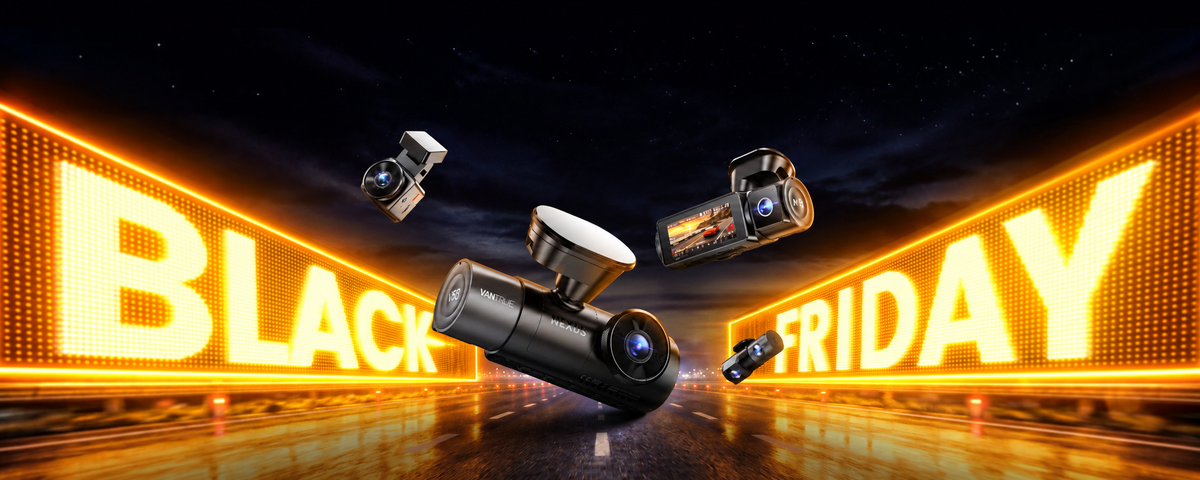
Vantrue's Black Friday sale opens on November 1. Once you know exactly which dash cam fits your needs, don't miss it: this is the best time of the year to buy.
Step 1: Choose your channels.

● Front-only: cheapest and simplest. Enough if you mainly worry about drivers in front of you.
● Front and rear: the best fit for most commuters, because rear-end collisions are common. Vantrue's S1 Pro Max records 4K front and rear, or 4K front with a 2.5K rear.
● 3-channel (adds a cabin camera): standard for ride-share and delivery. Check local recording-consent rules for passengers.
● 4-channel (front, front cabin, rear cabin, rear): for fleets, vans and rideshare vehicles and anyone who wants the most complete coverage and both rows of seats recorded, not just the front. It is a good fit for keeping an eye on a baby in the back seat, documenting theft and scratch incidents, and recording driver and passenger behavior, so the vehicle and everyone in it are better protected.
Channels set your price band more than anything else, so decide this first.
Step 2: Decide how much video quality you need.

4K front car cameras capture more detail for reading plates, but they need bigger tf card and micro sd card, and run warmer. Vantrue's PlatePix technology, on the Element 1 Pro , Element1 Pro S , N4 Pro S and S1 Pro Max, adds image processing tuned for reading license plates in fast traffic, low light and bad weather.
2.5K or 2.7K is a sharp middle ground: clear enough for everyday driving, with smaller files than 4K.
Night performance depends on the sensor and lens, not just resolution. Look for a low-light sensor such as STARVIS 2 (for example, the 5MP IMX675 or the 8MP IMX678), plus HDR or WDR for headlight glare. Vantrue's E1 Pro, E1 Pro S, N2X, N4S, N4 Pro S, N5S and S1 Pro Max all use a STARVIS 2 front sensor.
Rule of thumb: 4K is the best choice for plate detail, and 2.5K or 2.7K is a sharp, lighter option. If you drive mostly at night, put low-light performance first.
Step 3: Plan your parking and power setup.

This is the choice that most often leads to buying the wrong camera.
-
12V plug: easiest, but it records only while the engine runs.
-
Hardwire kit: connects to the fuse box for parking mode. Pick one with a low-voltage cutoff to protect your car battery.
-
OBD-II cable: an easier plug-in route to parking mode. Check that it fits your car.
-
Startup speed: a camera that takes several seconds to boot can miss the first moments of a drive, such as pulling out of a parking spot. Check how fast it starts recording after ignition. Vantrue's Element 1 Pro S starts in about one second with its 1-Second Turbo Boot.
Ask yourself: where and how long does my car sit parked each day? If it spends long stretches unattended, such as overnight on the street, in a public car park or at the workplace, treat parking mode as a requirement and budget for a hardwire kit or battery pack to power it.
Step 4: Check connectivity and storage.

-
It may mean Wi-Fi to your phone, a battery-powered camera with no cable, or a 4G LTE connection for remote features. Read the spec sheet.
-
Cloud and LTE dashcam can send alerts when someone approaches your car, show live view and track its location, but they need mobile data and need a monthly subscription. Check what is included and what it costs after. Vantrue's 4G LTE module comes with a SIM card with 300MB of data to start, and you recharge it yourself after that. Use the SIM card provided for the best performance.
-
Memory card: use a high-endurance microSD card made for continuous recording, and check your camera's maximum capacity.
Step 5: Pick a form factor, install method and budget.
-
Compact dash cams sit behind the mirror and draw less attention.
-
Mounting: each type has its strengths. Suction mounts are easy to move or take with you, which suits shared cars. Adhesive mounts stay put and are steadier on rough roads and in heat, but they are harder to reposition. Windshield-mounting rules vary by state, so check yours
-
Installation: plug-in takes minutes. A hardwired front-and-rear setup often goes to a shop, and appointments fill up after Black Friday.
For budget, start with your channels, add your extras (dash cam hardwire kit, memory card, installation), then cut what you can live without. Black Friday is the best time of the year to buy, so plan your list now and be ready when the deals go live.
Typical budget bands (approximate street prices, check current listings):
| Tier | Typical price | What you usually get |
|---|---|---|
| Entry | Under $150 | Front-only, 4K, 12V plug, STARVIS night vision |
| Mainstream | $150 to $300 | Front-only or front and rear, Enhanced 4K with HDR and STARVIS 2 night vision, plate-enhancing image processing, 1s fast startup, low-power parking mode (hardwire kit required) |
| Premium | $300 and up | 3-channel or 4-channel coverage with interior and rear cameras, or advanced features such as thermal imaging and CarPlay support. |
Four mistakes that make buyers regret their dash cam.
-
Forgetting the parking mode setup. Parking mode usually needs a hardwire kit or OBD cable, so add that cost up front instead of finding out after you buy.
-
Running out of memory card space. 4K footage takes up a lot of space, so a card can fill up quickly. Choose a high-endurance memory card with enough capacity, and check the maximum card size your dash cam supports.
-
Worrying too much about heat. A dash cam getting warm in summer is normal. Dash cams are built with heat-resistant materials and components, so there is no need to worry. Just avoid covering the vents and keep it out of direct contact with hot surfaces.
-
Buying for resolution alone. 4K is only part of the picture. Plate clarity, night driving, glare at tunnel exits and how fast the camera starts recording all affect what you actually capture, so choose by real-world performance, not just the number on the box.
Your dash cam spec sheet
| Decision | Your choice |
|---|---|
| Channels | Front-only / Front + rear / 3-channel / 4-channel |
| Front resolution | 2.5K / 2.7K / 4K |
| Parking mode | None / Hardwire kit / OBD cable |
| Startup speed | Standard / 1s fast startup |
| Night and glare performance | Standard / HDR and STARVIS 2 |
| LTE connectivity | Not needed / Built-in LTE |
| Subscription OK? | Yes / No |
| Installation | DIY / Professional |
| Maximum budget (camera + extras) | $ |
Already know what you want? Skip to your deal page.
If your spec sheet is done, go straight to the page that matches it. Offers go live when Vantrue's sale opens on November 1, and you can join the early-access list now.
A dash cam is only part of the setup. Parking mode needs a hardwire kit, and 4K footage needs a high-endurance memory card, so buying everything together means:
● Bigger savings: Bundles are priced below buying each item separately, and Black Friday is the best time of the year to get one.
● Everything you need, nothing forgotten: The hardwire kit and memory card are included, so you don’t discover missing extras after you buy.
● Compatible by design: The cable and card are matched to the camera, so there is no guessing about voltage, capacity or support.
● Ready to install on day one: Mount it, wire it, and start recording with parking mode, with no second order to wait for.
Pick your deal page:
● Commuter, front and rear: Front and rear dash cam deals →
● Rideshare or delivery, 3-channel: 3-channel dash cam deals →
● Parking protection: Dash cam bundles with hardwire kits →
● Sharpest picture: 4K dash cam deals →
● Tight budget: Best affordable dash cam deals →
● Small and discreet: Compact dash cam deals →
Compartir:
Vantrue Dash Cam Comparison 2026: Element 1 Pro vs Element 1 Pro S , Nexus 2X vs Nexus 4S, Nexus 4 Pro S vs Nexus 5S