
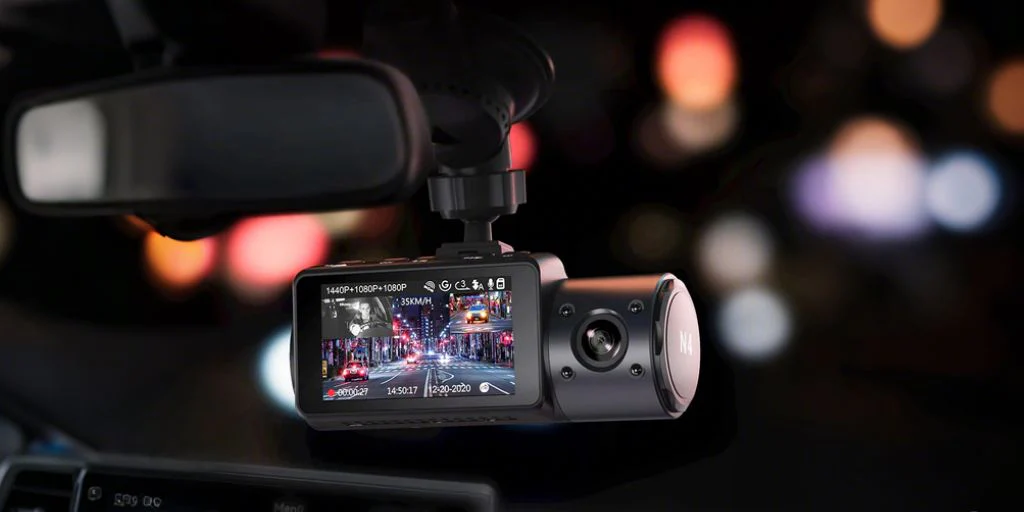
Imagine a fine day. You’re driving down the road when, suddenly, someone slips and bumps into your car. And worse, they’re blaming you for the incident.
With dashcam footage, you can arm yourself with strong evidence in the event of a traffic crash and litigation. A live recording of the incident is often considered far more reliable than witness testimony, especially in situations where the parties involved want to absolve themselves of liability as much as possible.
In this guide, you will learn how to access dashcam footage and leverage it in times of a traffic incident.

How to Access Dashcam Footage After an Incident?
Retrieving footage from your dash cam dashboard camera is a straightforward process as long as the device and its memory card remain intact.
Start by connecting your dashcam to a computer via a USB cable. If your recorder uses a memory card, remove the card from the device and insert it in a card reader. Some dashcams offer a mobile application for wireless transfer; LTE dashcams even upload automatically to the cloud. If your model supports this feature, use the app to review and download footage directly onto your mobile device.
Upon retrieving the footage, your next step is to view it using trusted software. Well-known video players like Windows Media Player and VLC support high-resolution viewing, so you do not miss any crucial incident detail.
How Long Does Dashcam Footage Last?
The memory card’s storage typically dictates the time dashcam footage lasts. When the SD card is larger, more footage will be kept for a longer time. But once the card is full, the footage might get overwritten by another recording.
Another relevant factor is the footage’s resolution. Higher resolution videos consume more memory space, which speeds up the footage’s “life expectancy” before getting overwritten (or replaced) by new recordings.
Note that dashcams often use loop recording. This feature means that once the memory card becomes full, the dashcam starts overwriting the oldest files with fresh footage. As a result, if you do not back up important clips, you risk losing critical evidence when new incidents occur.
For this reason, you must save your dashcam footage in a separate hard drive or cloud storage. This serves as your “backup” that ensures you will not lose vital evidence after an incident.
Can I Submit Dashcam Footage to Police?
Yes, you may submit it to the police as it provides an unaltered and unbiased account of what transpired during the incident. However, there are some things you must consider prior to the submission of footage.
Check the Admissibility of the Footage to the Court
Police may use your submission in criminal proceedings if it meets the following criteria:
-
Authentication: The footage is not tampered with, with the owner testifying to the authenticity of the recording.
-
Adherence to privacy laws: The footage is recorded in an area permitted by law, such as public places (e.g., roads and highways).
-
Relevance: The footage provides important details about the case. It must present some events before, during, or after the incident.
How To Properly Submit the Footage to the Police?
-
Save the footage on a secure computer or mobile device. Before you share the recording, make sure to retain a copy for personal records and insurance claims.
-
Coordinate with your local police department. You may submit the footage personally, use their email address, or use the online portal for submission.
-
As you email (or send via portal) the footage, write crucial details about the incident, such as the location, date, and aftermath.
-
Be prepared to receive a call or visit from the police as they follow up on details about the footage.
Using Dashcam Footage for Insurance Claims
Clear video evidence can prove what happened, clarify fault, and support your version of the event. You can present it to an insurer to expedite your claim process and reduce disputes.
Before you transmit dashcam evidence, talk with your insurance provider to know about their preferred procedures. Some insurance companies have specific guidelines for sharing digital files with them, while others only require a copy on a physical drive. Either way, always keep the original footage safe and do not edit or cut any of its parts.
And be cautious to whom you are going to send the footage. If someone from the insurance company is asking for the footage, make sure to verify that the person is their employee with the authority and clearance to receive dashcam evidence.
Additional Tips for Safeguarding and Using Dashcam Footage

Here are some useful recommendations to protect your footage and keep its reliability for any legal or personal purpose.
-
Do not alter or edit the files, as doing so may reduce their credibility in court. Edited footage might also come across as tampered evidence.
-
Back up the footage to different storage devices. Have at least three copies with you.
-
Be aware of the privacy and legal implications of the recording. You may consult a lawyer to determine if your recording adheres to the data privacy laws.
Capture Vital Traffic Incident Moments With a Vantrue Dashcam
WATCH: Vantrue 360-degree dashcam for comprehensive traffic event footage
Access to dashcam footage is crucial for protecting yourself from litigation and criminal proceedings following a traffic incident. You must safeguard such footage by submitting it properly to the concerned authorities and keeping secure copies for yourself.
Vantrue provides clear and top-quality video recordings with its high-end dashcams. Our brand engineer offers dashcams that meet any in-car needs and preferences, such as for insurance claims, fraud detection, and criminal proceedings. Get in touch with us today.
Deel:
Beste dashcam-deals deze Black Friday: Bescherm uw voertuig tegen onverslaanbare prijzen
Waarom u een GPS-dashcam nodig hebt voor uw servicewagens