
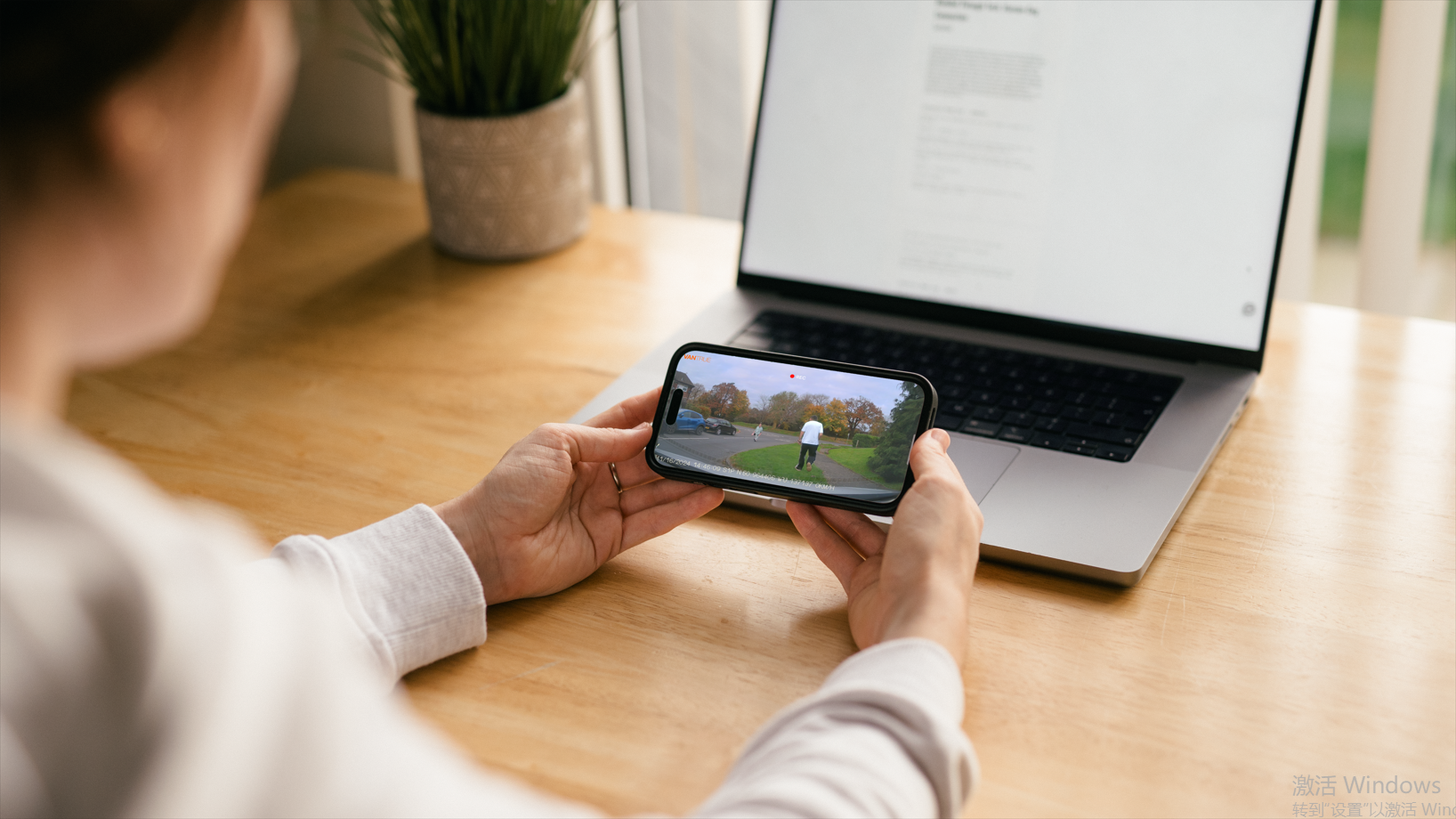
L'accès aux séquences de votre caméra de voiture est crucial, qu'il s'agisse de revoir vos trajets quotidiens ou de capturer des incidents importants. Dans ce blog, nous vous guiderons à travers deux méthodes utiles pour visionner vos séquences : l'utilisation de votre appareil mobile avec une application dédiée et l'accès aux fichiers sur votre ordinateur. C'est parti !
?
?? Visionner les séquences de la caméra de voiture sur votre appareil mobile
?

De nombreuses caméras de voiture offrent une connectivité Wi-Fi, ce qui facilite la connexion à votre smartphone. Suivez ces étapes pour visionner vos séquences à l'aide de l'application mobile :
Étape 1 : Téléchargez l'application requise
-
Trouvez la bonne application : Reportez-vous au manuel d'utilisation de votre caméra ou au site officiel pour connaître l'application mobile recommandée. Pour les utilisateurs de Vantrue, une application Vantrue\ gratuite et conviviale est disponible, compatible avec la plupart des caméras Vantrue dotées du Wi-Fi.
\ \- \Téléchargez l'application\ : Vous pouvez télécharger l'application sur le site officiel ou la rechercher sur le Google Play Store ou l'Apple App Store pour l'installer sur votre smartphone.\ \ \
Étape 2 : Connectez votre caméra de voiture à votre smartphone\ \
-
\
-
\Activez le Wi-Fi\ : Activez le Wi-Fi sur votre caméra, ce qui implique généralement d'appuyer sur un bouton ou de modifier un paramètre.\
\
- \Couplez les appareils\ : Ouvrez l'application Vantrue sur votre smartphone et suivez les instructions pour coupler votre caméra via Wi-Fi.\ \ \

?
Étape 3 : Accédez à vos fichiers et visionnez-les
- Naviguez dans les fichiers de l'application : Une fois connecté, localisez la section « Fichiers » dans l'application. Vous y trouverez différents dossiers comme les fichiers d'urgence et les fichiers du mode parking.
- Sélectionnez et visionnez les fichiers : Parcourez ces enregistrements et sélectionnez les fichiers que vous souhaitez visionner. Vous pouvez généralement lire, supprimer ou partager ces fichiers directement depuis l'application.
?
Étape 4 : Enregistrez ou partagez vos vidéos
- Téléchargez sur votre téléphone : Si vous souhaitez conserver les vidéos sur votre appareil, téléchargez la séquence sur votre téléphone portable.
- Partagez avec d'autres : Utilisez les réseaux sociaux, l'e-mail ou les applications de messagerie pour partager facilement les enregistrements depuis l'application.
?
?? Visionner les fichiers de la caméra de voiture sur votre ordinateur
?

Si vous préférez le confort d'un écran plus grand, l'accès aux fichiers de votre caméra sur votre ordinateur peut être plus satisfaisant. Voici comment faire :
Option 1 : Insérez la carte SD directement dans l'ordinateur
- Retirez la carte SD : Éteignez votre caméra et retirez la carte microSD.
- Insérez et parcourez : Insérez la carte directement dans votre ordinateur. Localisez le dossier où vos enregistrements sont stockés et accédez à vos vidéos.

Option 2 : Utilisez un lecteur de carte
- Utilisez un lecteur de carte SD : Retirez la carte SD de votre caméra en toute sécurité et insérez-la dans un lecteur de carte SD connecté à votre ordinateur.
- Parcourez les fichiers : Recherchez et ouvrez le dossier contenant vos enregistrements, généralement au format .MP4 ou .AVI, et sélectionnez les vidéos que vous souhaitez regarder.
?
Conclusion
Visionner les séquences de votre caméra de voiture est simple et peut être adapté à vos préférences, que ce soit via une application mobile ou un ordinateur. Les deux méthodes présentent des avantages, vous permettant d'accéder à vos enregistrements et de les revoir efficacement. Consulter régulièrement vos séquences peut enrichir votre expérience de conduite et vous rassurer en sachant que vous disposez de preuves en cas de besoin. Profitez d'une tranquillité d'esprit à chaque trajet !
- \Couplez les appareils\ : Ouvrez l'application Vantrue sur votre smartphone et suivez les instructions pour coupler votre caméra via Wi-Fi.\ \ \
- \Téléchargez l'application\ : Vous pouvez télécharger l'application sur le site officiel ou la rechercher sur le Google Play Store ou l'Apple App Store pour l'installer sur votre smartphone.\ \ \
?
Compartir:
Elementos esenciales para la cámara de salpicadero: Accesorios para una conducción más segura
¿Por qué necesitas una licencia CPL para tu cámara de salpicadero?
1 comentario
I would like to learn more about Vantrue player on my computer. I cannot find an appropriate manual. There is no help option in the software.
Specifically, I have two questions about it:
1) I would like to know what is the meaning of the chart in the bottom left hand side corner of the app. It shows 3 colourful lines: red, green and blue. What is its meaning, please?
2) Also, when I load my files for each period of time there are 3 files: one for the front, one for the back of the car and one for the cabin. When the player app shows the files it goes from the *_A.mp4 file, then shows the *_B.mp4 segment and finally *_C.mp4 segment, each of them shown on the main screen and the other two on the smaller screens. I would like for the main screen to show, say the front camera view all the time and the other two cameras on the smaller screens. This means it would jump from the one *_A.mp4 file to the next *_A.mp4 file in the sequence. Is it possible to set it up in such a way?
Could you help me with those issues, please?
Regards,
Andrew Davis