
Introduction
Many drivers shopping for a wireless dash cam ask the same question: "Is there a truly wireless dash cam that doesn't require cables?" It sounds like a reasonable expectation—but the reality is a little different. Most "wireless dash cams" still need a power cable to record continuously, and choosing a battery-powered model simply to avoid wires can mean sacrificing reliability, recording time, and long-term performance.
In this guide, you'll learn what a wireless dash cam really is, the differences between Wi-Fi and LTE connectivity, why battery-powered models aren't ideal for most drivers, and the seven key features to look for when choosing the best wireless dash cam in 2026.
1. What Does "Wireless" Actually Mean? (The 3 Types People Confuse)
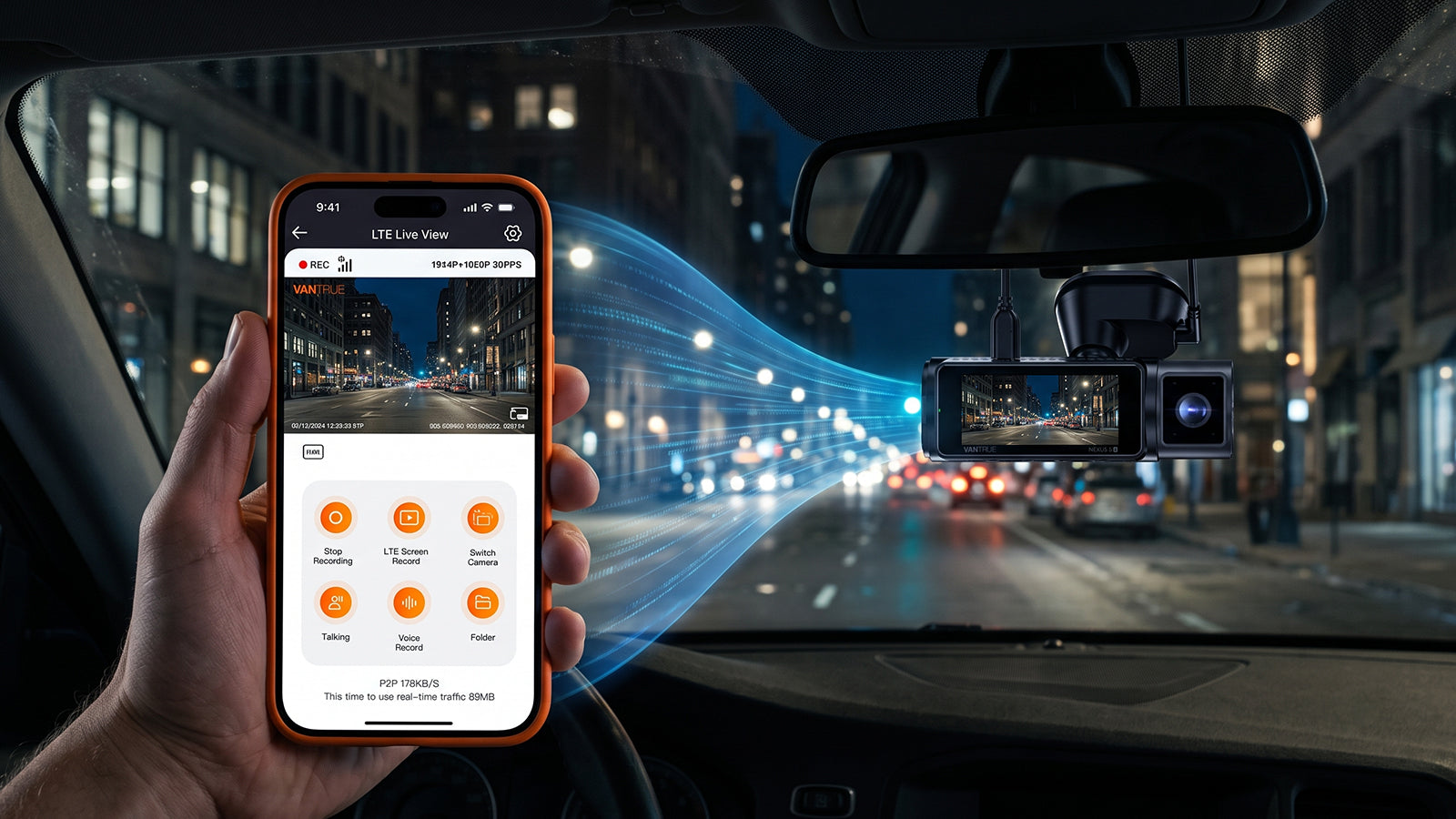
It's important to understand what manufacturers mean by "wireless." Contrary to what many buyers expect, most wireless dash cams are not powered wirelessly. Instead, the term usually refers to how the camera connects to your smartphone or the internet.
Features like Wi-Fi and 4G LTE let you view, download, and even monitor recordings without touching the camera, creating a much more convenient user experience than traditional dash cams.
|
Type |
Power |
Connectivity |
Pros |
Cons |
|
WiFi Dash Cam
|
HardWired |
WiFi for viewing/downloading |
Common type, easy to use, stable recording |
Requires constant power cable Higher cost |
|
Battery-Powered "True Wireless"
|
lithium Battery only |
WiFi or internal |
Fully wireless, easy installation |
1. Slow wake-up (1–3 sec) 2. Missed recordings / system freezing 3. Short battery life, rapid degradation |
|
"Hidden Wire" Setup
|
Hardwired |
Optional WiFi |
Wireless appearance, 24/7 reliable protection, supercapacitor stability |
Moderate installation Higher cost |
For most drivers, a wired dash cam with Wi-Fi or LTE provides the best balance between convenience and reliability.
2. Why LTE and WiFi are the "Real" Wireless.
If you want a "wireless" experience, you shouldn't be looking at the power cable—you should be looking at the connectivity.
The "Local" Convenience (WiFi)
Imagine you’ve just pulled over after a minor scrape and want to check the footage instantly without pulling out the card. WiFi acts like a "Walkie-Talkie" between the car and your phone—fast, local access while you are on the spot.
👉Explore our best WiFi dashcam in 2026 today.
The "Remote" Security (4G LTE)
When you are miles away in a shopping mall and someone hits your car in the parking lot. WiFi can’t reach you here, but 4G LTE can. It acts as your "remote security guard," instantly beaming an alert and a video clip to the cloud. Even if the thief steals the camera, they can't steal the evidence. That is the ultimate "wireless" protection.
👉 Explore our top 4G LTE Cloud-Ready Systems Today.
LTE Dashcam vs WiFi Dashcam
| Feature | Wi-Fi Dash Cam | LTE Dash Cam |
|---|---|---|
| Download Videos | ✅ | ✅ |
| Live View Nearby | ✅ | ✅ |
| Remote Live View | ❌ | ✅ |
| Parking Alerts | ❌ | ✅ |
| Cloud Backup | ❌ | ✅ |
| GPS Tracking | Limited | ✅ |
For most drivers, Wi-Fi offers the best balance of convenience and affordability. If remote monitoring and cloud backup are important, LTE is worth considering.
3. Why Aren't Battery-Powered Dash Cams Recommended?
A completely wireless dash cam may sound convenient, but it comes with several compromises.
Unlike action cameras that record for short periods, dash cams are expected to operate continuously while driving and often during parking mode. Battery-powered models commonly experience the following:
- Slow startup when the vehicle begins moving
- Limited recording time
- Battery degradation from heat and cold
- Missed footage if the battery is depleted
- Reduced reliability during long trips
For these reasons, most premium dash cam manufacturers now use supercapacitors instead of lithium batteries, especially in regions with extreme temperatures.
Which Features Actually Worth Looking for in a Dashcam?
Instead of asking whether a dash cam is "wireless," consider whether it offers the features that actually improve reliability and usability:
- Reliable power: Supercapacitor instead of lithium battery
- Video storage: High-Endurance microSD card (128GB or larger)
- Local connectivity: 5GHz WiFi for fast downloads
- Remote monitoring: Optional 4G LTE cloud connectivity
- Parking protection: Buffered parking mode with impact notifications
- GPS logging: Speed and location recording for evidence
👉 Explore High-Performance Dashcams.
1. Reliable Power: Choose a Supercapacitor Over a Lithium Battery
A dash cam is designed to record continuously, often in harsh environments such as hot summers or freezing winters. That's why the type of power source matters more than many drivers realize.
Most premium dash cams use supercapacitors instead of lithium batteries because they are more resistant to extreme temperatures, have a longer service life, and provide more stable performance over time. In contrast, lithium batteries can degrade faster and may become less reliable after prolonged exposure to heat.
What to look for: If you want long-term reliability, choose a dash cam powered by a supercapacitor rather than a built-in lithium battery.
2. High-Endurance Storage: Don't Overlook the microSD Card
Even the best dash cam depends on reliable storage. Because dash cams continuously record and overwrite video files, they place much greater demands on a memory card than smartphones or digital cameras.
Using a standard microSD card can lead to corrupted files, recording errors, or missing footage. A High-Endurance microSD card is specifically designed for continuous recording and is better suited for daily use.
What to look for: Choose a High-Endurance card with a U3/V30 speed rating and at least 128GB of storage if you plan to record in 4K.
3. Look for Fast 5GHz Wi-Fi Dashcams
Not all Wi-Fi dashcams offer the same performance.
Many budget models still use 2.4GHz Wi-Fi, while premium models increasingly adopt faster 5GHz Wi-Fi technology.
Here's why that matters:
|
Feature |
2.4GHz Wi-Fi |
5GHz Wi-Fi |
|
Transfer Speed |
Slower |
Up to 4x Faster |
|
Video Download Time |
Several Minutes |
Seconds |
|
Best For |
Basic HD Footage |
High-Bitrate 4K Footage |
|
User Experience |
Can Feel Laggy |
Smooth & Responsive |
Modern 4K dashcams generate large video files. Downloading a one-minute 4K clip over a slow 2.4GHz connection can take several minutes, especially when you're in a hurry.
👉 Upgrade to a 5GHz Wi-Fi Dash Cam for Faster Transfers
What to look for: If you want lag-free video streaming, you should always look for a 5GHz wireless dash cam.
4. Remote Monitoring: Optional 4G LTE Connectivity
Wi-Fi works well when you're standing next to your vehicle, but it cannot provide remote access once you're out of range. That's where 4G LTE comes in.
An LTE-enabled dash cam can send parking alerts, upload important clips to the cloud, and even let you view live footage remotely. This is especially useful for rideshare drivers, fleet vehicles, or anyone who frequently parks in public areas.
What to look for: If remote monitoring and cloud backup are priorities, choose a dash cam that supports optional LTE connectivity.
5. Better Parking Protection: Buffered Parking Mode
Many parking mode systems only start recording after an impact is detected. By then, part of the incident may already be over.
Buffered parking mode continuously records in the background and saves footage from both before and after an event, giving you a more complete record of what happened.
What to look for: Buffered parking mode offers more useful evidence than basic motion detection or impact-triggered recording alone.
6. Built-in GPS: Add Valuable Driving Data
Video footage shows what happened, but GPS data provides additional context by recording your vehicle's speed, location, and driving route.
This information can be helpful when reviewing trips or supporting insurance claims after an accident.
What to look for: A built-in GPS dashcam is more convenient than an external receiver and ensures every recording includes location data automatically.
Conclusion: "Wireless" doesn't mean better.
True freedom in 2026 isn't about removing a 5 mm power cable; it’s about knowing your footage is safe in the cloud, no matter where you are.
Not sure which setup fits your car? Whether you're a daily commuter or an Uber driver, feel free to share your car model below—Vantrue is happy to help you build a setup that actually works.
Share:
What Is the Best Car Camera for Your Needs?
Best Dash Cam for Pickup Trucks in 2026: Complete Buyer's Guide & Top Picks