
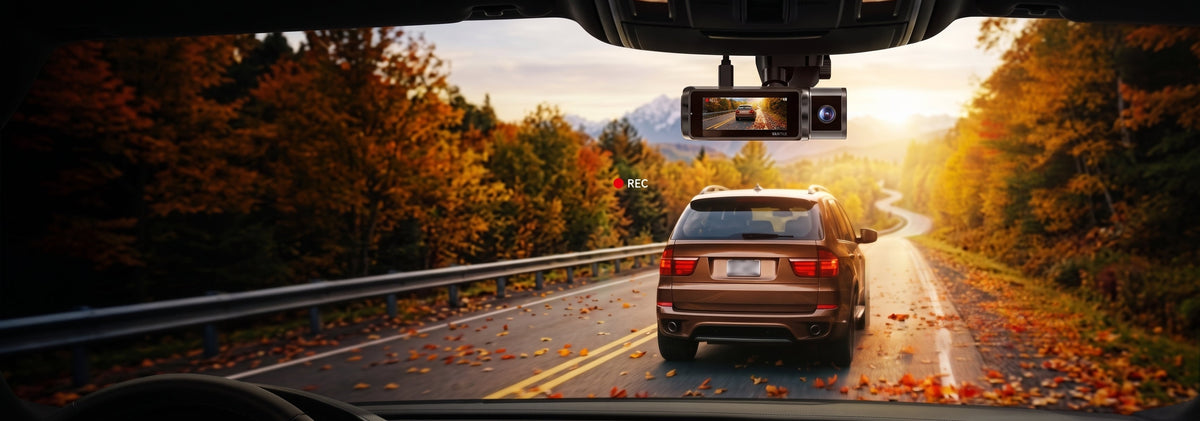
Quick Answer: Are Dash Cams Useful for Fall Road Trips?
Yes. A dash cam can provide a continuous record of your drive and help capture important details in low-light conditions, during unexpected road incidents, or while your vehicle is parked.
For a fall road trip, look for a 4K dash cam for car with good low-light performance, sufficient storage, a secure mount, and parking mode if you want coverage after turning off the engine.
Before leaving, check the camera, SD card, mount, firmware, and parking-mode settings.
Introduction
Fall is one of the best seasons for a road trip. Cooler temperatures, changing leaves, and scenic drives make it a popular time to get on the road. But shorter daylight hours, wet roads, colder temperatures, and increased wildlife activity can also create new driving challenges.
A properly installed dash cam can help preserve video evidence when something unexpected happens. For fall driving, features such as low-light recording, front and rear coverage, parking mode, and reliable storage are especially useful.
Why Fall Driving Needs Extra Protection
Autumn changes the driving environment in several ways.
Shorter daylight hours. Earlier sunsets mean more driving takes place at dusk or after dark. This makes image quality in low-light conditions more important.
Wet and slippery roads. Fallen leaves can become slick when wet, especially around corners, intersections, and shaded roads.
Colder temperatures. Overnight temperature drops can affect vehicle electronics and power systems, particularly when a car is parked outside for several hours.
Wildlife activity. Deer and other animals are active in many areas during fall, especially around wooded roads and rural highways.
A dash cam cannot prevent an accident, but car video recording can provide a useful record of what happened if a collision or unexpected incident occurs.
Cold Weather: Battery or Supercapacitor?
Cold temperatures can affect battery-based electronics. Lithium-ion batteries rely on chemical reactions that slow down as temperatures fall.
Many dash cams instead use supercapacitors, which store energy electrostatically rather than through the same chemical process used by conventional batteries.
For drivers, the practical difference is that supercapacitor-powered dash cams are generally designed to handle the temperature fluctuations commonly experienced inside vehicles without relying on a conventional rechargeable battery.
| Feature | Lithium-ion battery | Supercapacitor |
|---|---|---|
| Cold-weather behavior | Performance can decrease in low temperatures | Generally more tolerant of temperature changes |
| Energy storage | Chemical | Electrostatic |
| Long-term cycle use | Battery chemistry gradually degrades | Designed for a high number of charge/discharge cycles |
| Vehicle environment | Requires appropriate temperature management | Commonly used in dash cams exposed to vehicle temperatures |
However, always check the manufacturer's operating-temperature specifications for your particular camera.
Night Driving: Why Low-Light Performance Matters
As fall days become shorter, nighttime recording becomes more important.
A 4K dash cam for car can capture a high level of detail, but resolution is only one part of nighttime performance. The image sensor, lens, exposure, dynamic range, and surrounding light all affect the final footage.
Vantrue dash cams equipped with STARVIS 2 sensors and WDR technology can deliver clearer, lower-noise footage in challenging lighting conditions, helping preserve details such as road signs, vehicles, and license plates.
Still, no high quality dash cam can eliminate every nighttime limitation.
Heavy rain, fog, strong headlight glare, extreme darkness, or a dirty windshield can all reduce image clarity.
Before a trip, record a short nighttime drive and check the footage yourself. If the image is too dark or the camera angle is wrong, adjust it before heading out.
Consider Front and Rear Coverage
For longer road trips, a dash cam with front and rear coverage can provide a more complete record than a front-facing camera alone.
A front camera records the road ahead, while a rear camera can capture what happens behind the vehicle. This can be particularly useful in rear-end collisions or incidents occurring behind your vehicle.
Vantrue offers several front and rear dashcam options, as well as multi-channel systems for drivers who want broader coverage.
You don't necessarily need multiple cameras for every trip, but if you spend a lot of time on highways or frequently take long road trips, front and rear coverage is worth considering.
Parked at a Trailhead? Use Parking Mode
Fall road trips often include long stops at trailheads, scenic overlooks, campgrounds, restaurants, and hotels.
That's where dashcam mode parking can become useful.
A dash cam that supports parking mode can continue monitoring the vehicle after the ignition is turned off, depending on the camera and power setup.

Does a Dash Cam Record When Parked?
Some dash cams can record when parked if parking mode is supported and the camera has an appropriate power source.
A dash cam that records when parked may activate when an impact or motion event is detected. The exact behavior varies by model, so check how your specific parking mode works before relying on it for overnight protection.
Does Parking Mode Drain the Car Battery?
Parking mode uses power from the vehicle, so battery consumption is possible.
A hardwire dash cam setup can provide a more reliable power connection for parking mode. Many hardwire kits include low-voltage protection that stops supplying power when the vehicle battery reaches a specified voltage level.
If you're considering a dash cam with hard wire kit, check:
-
Whether the hardwire kit is compatible with your camera
-
The available low-voltage cutoff settings
-
Whether the installation is correct
-
How long the vehicle will remain parked
For extended parking, follow the manufacturer's installation instructions rather than assuming every dash cam uses the same power requirements.
Check Your SD Card Before a Long Drive

A dash cam is only useful if it actually records.
Before a road trip, check your dash cam micro SD card and make sure it is compatible with your camera and has enough capacity for your expected recording time.
Many dash cams use loop recording, which automatically overwrites older unprotected footage when the memory card becomes full. Important event files may be protected, but important recordings should still be backed up as soon as possible.
Before leaving:
-
Confirm the card is recognized
-
Check available storage
-
Format it if recommended
-
Make sure the card meets the camera's specifications
-
Carry a compatible spare card for longer trips
Check the Dash Cam Mount
A secure dash cam mount is easy to overlook.
Long drives expose the camera to vibration, bumps, and temperature changes. If the mount moves, the camera's viewing angle can change without you noticing.
Before leaving, make sure:
-
The mount is firmly attached
-
The camera is level
-
The road takes up most of the frame
-
The windshield and lens are clean
-
The rear camera is correctly positioned if installed
A few minutes of preparation can make the footage much more useful later.
Check Dash Cam Laws Before Crossing State Lines
If your fall road trip crosses state lines, check the current local rules before you leave.
Windshield-mounting requirements can vary by state. Audio recording can also have different legal considerations depending on where and how recording takes place.
Because laws can change, use current state DMV, DOT, or other official government sources rather than relying on an old list of dash cam laws.
Fall Road Trip Dash Cam Checklist
Before hitting the road:
-
Check your dash cam
-
Clean the lens and windshield
-
Secure the dash cam mount
-
Test daytime and nighttime recording
-
Check your dash cam micro SD card
-
Confirm loop recording is working
-
Update firmware if necessary
-
Enable parking mode if needed
-
Check your hardwire dash cam setup
-
Verify local dash cam laws if crossing state lines
-
Back up important footage after an incident
Concluison
Fall driving brings earlier sunsets, changing road conditions, colder temperatures, and more time spent parked during scenic stops.
A dash cam cannot prevent an accident, but it can help preserve a reliable video record when something unexpected happens.
For a fall road trip, focus on the basics: good low-light recording, reliable storage, a secure mount, front and rear coverage when needed, and correctly configured parking mode.
Taking a few minutes to check your camera before leaving can help make sure it is ready when you need it most.
Frequently Asked Questions
Are dash cams worth it for road trips?
A dash cam can be useful on road trips because it continuously records the road and can preserve video evidence if a collision or other unexpected incident occurs. Features such as front-and-rear recording, GPS, 4K video, and parking mode can provide additional functionality depending on the model.
What is the best dash cam for driving at night?
Looking for clearer footage on nighttime drives? Explore Vantrue’s dash cam below. Find the right model for your next road trip.
 Nexus 4 Pro S 4K Dash Cam
  Nexus 5S 4 Channel Dash Cam
  Nexus 4S 3 Channel Dash Cam
 Do I need a front and rear dash cam for a road trip?
Yes, a front and rear dash cam provides coverage in both directions. This can be useful for highway driving, rear-end collisions, and incidents occurring behind the vehicle.
Share:
Best Dash Cams 2026: Full Buying Guide & Rankings
What Does a Recent Crash Tell Us About Dash Cam Footage After an Accident?