
Quick Answer: How Can Dash Cam Footage Help After an Accident?
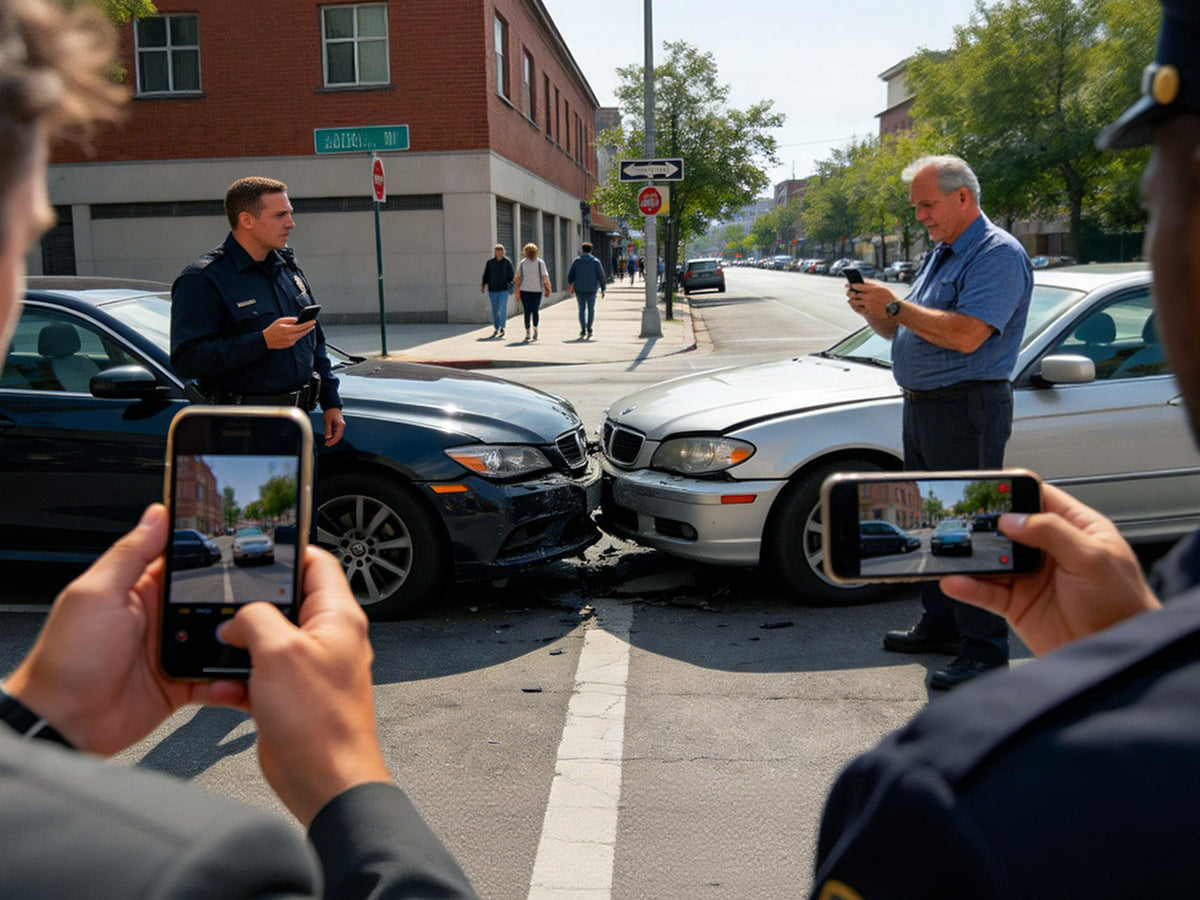
A dash cam can provide a time-stamped video record of what happened before, during, and after a collision.
Depending on the camera, footage may show:
● The position and movement of surrounding vehicles
● Traffic lights and road signs
● Lane changes
● Sudden braking
● Weather and road conditions
● The moment of impact
● What happened immediately after the crash
A 4K dash cam for car can also capture additional visual detail that may be useful when reviewing footage, although video quality depends on lighting, weather, camera position, and other conditions.
A Recent Crash Shows Why Dash Cam Footage Matters
A September 2026 crash in Monona, Wisconsin, provides a recent example. Police released dash-cam footage from a semi-truck involved in a four-vehicle crash on the Beltline. The video showed traffic ahead slowing before the semi struck a vehicle, triggering a chain-reaction crash. Multiple people were injured.
The value of the footage was not only showing the impact. It also showed the sequence of events leading up to the crash—information that may be difficult to reconstruct from the scene afterward.
This is one of the main benefits of a dash cam. Instead of relying entirely on memory or eyewitness accounts, drivers can have a video record of what was visible from the vehicle.
What Are the Benefits of a Dash Cam During an Incident?
A dash cam can provide a clear, time-stamped record of what happens on the road, helping preserve important details that may be difficult to recall or reconstruct after an accident.
Depending on the camera and its setup, footage may help document:
● What happened before the incident: Vehicle movements, lane changes, merging, and sudden braking
● The surrounding conditions: Traffic lights, road signs, weather, and road conditions
● The moment of impact: The sequence and circumstances surrounding a collision
● What happened afterward: Vehicle positions and events immediately following the incident
A 4K dash cam for car can capture more visual detail, making it easier to review important elements such as road signs, license plates, or vehicle movements when lighting and conditions allow.
For broader coverage, a dash cam with front and rear cameras can record both directions. In a rear-end collision, for example, the front camera can capture traffic ahead while the rear camera may record the vehicle approaching from behind.
More importantly, dash cam footage provides a record of the incident rather than relying solely on memory or eyewitness accounts. While footage does not automatically determine responsibility for an accident, it can provide valuable context when an incident needs to be reviewed.
How Dash Cam Features Help Preserve an Incident?
The camera needs to keep recording—and the important footage needs to remain available—for it to be useful.
Loop Recording

A dash cam with loop recording records video in separate segments and automatically replaces older, unprotected files when the dash cam micro SD card becomes full.
This allows the camera to keep recording during everyday driving without requiring the driver to manually delete old footage. When an incident occurs, the relevant clip can be protected before it is overwritten.
G-Sensor

A G sensor dash cam can detect sudden changes in motion caused by an impact. Depending on the model and settings, the camera may automatically protect the corresponding video file.
This can reduce the chance that an important accident clip is treated like an ordinary recording and eventually overwritten.
Front and Rear Coverage

A front camera records the road ahead, while adding a rear camera provides another view of what is happening around the vehicle.
A front and rear dash camera can provide additional context in incidents involving rear-end collisions, lane changes, or multiple vehicles. For drivers who spend a lot of time on highways or in busy traffic, this wider coverage can be particularly useful.
How to Choose the Right Dash Cam?
When deciding what to look for in a dash cam, start with how you actually drive.
For basic accident documentation:
A front-facing dash cam with reliable recording and good image quality may be sufficient.
For more complete road coverage:
Consider a best dash cam front and rear setup if you want to record both the road ahead and what happens behind the vehicle.
For vehicles that spend time parked outdoors:
Look for a dash cam with parking mode. Compatible cameras can monitor activity around the vehicle while it is parked, depending on the recording mode and power setup.
The goal is not necessarily to choose the camera with the most features. It is to choose a setup that covers the situations you are most likely to encounter.
Don't Overlook the Accessories
A dash cam is only as useful as its ability to record, store, and preserve footage. The right accessories can help keep the system ready.
MicroSD Card

The memory card stores your recordings and is continuously written to during normal use.
A compatible micro SD card for car camera use should be designed for repeated recording. Sufficient capacity is also important for higher-resolution video and parking recordings.
Hardwire Kit

A dashcam hardwire kit connects a compatible camera to the vehicle's power system, allowing supported cameras to use parking mode after the vehicle is turned off.
For drivers who want car cameras with parking mode, a hardwire kit can be an important part of the setup.
CPL

A dashcam may successfully record an incident, only for glare and windshield reflections to obscure critical details such as license plates, vehicle models, or road signs, reducing the usefulness of the footage.This is where a CPL filter becomes invaluable.
Remote Controller

The remote controller provides a handy solution. With a single press of a button, drivers can instantly lock and save the current recording, ensuring that important video files are protected from being overwritten by loop recording.
LTE Module

An LTE module can connect a compatible dash cam to a mobile network, allowing drivers to access supported remote features—such as viewing the vehicle’s status or receiving parking alerts—through the camera’s app. Availability depends on the camera model, LTE coverage, and an active data plan. Check compatibility and service requirements before adding LTE to your setup.
A Simple Setup for Different Drivers
| Driving situation | Suggested setup |
|---|---|
| Basic accident recording | Front dash cam + microSD card |
| More road coverage | Front + rear dash cam + microSD card |
| Frequent outdoor parking | Parking-mode dash cam + hardwire kit + 256GB microSD card |
| Long daily drives | High-resolution dash cam + high-endurance 512GB microSD card + hardwire kit + CPL filter |
| Multi-direction coverage | Multi-channel dash cam + high-endurance 512GB microSD card + hardwire kit + CPL filter + remote controller |
Recommended Vantrue Dash Cam Bundles
 Bundle: N5S + VP03 Hardwire Kit + 512GB Card + CPL + Remote Controller
Best for: Drivers who want an all-in-one setup.
Review the product page for its current camera setup and features.
Shop now Bundle: N4 Pro S + VP03 Hardwire Kit + 512GB Card + CPL + Remote Controller
Best for: Drivers looking for a 4K triple-channel dash cam bundle.
Explore the product page for its configuration and features.
Shop now Bundle: N4S + VP03 Hardwire Kit + 512GB Card + CPL + Remote Controller
Best for: Drivers looking for a budget three-channel dash cam bundle.
Explore the product page for its configuration and features.
Shop nowThe right setup depends on the vehicle, driving habits, and how much coverage is needed.
What to Do With Dash Cam Footage After an Accident?
If an incident happens, protecting the footage should be a priority once everyone is safe.
1. Move to a safe location when possible.
2. Contact emergency services if necessary.
3. Lock or protect the relevant video.
4. Back up the original footage.
5. Avoid editing or overwriting the original file.
6. Follow instructions from police, insurers, or other relevant authorities.
Keep the original recording whenever possible. It preserves the footage as it was captured rather than relying only on an edited clip.
Conclusion
A crash can unfold in seconds, but the details surrounding it can be difficult to reconstruct afterward. Recent incidents show how dash-cam footage can preserve those moments and provide useful context for an investigation.
Features such as loop recording, G-sensor protection, front and rear coverage, and parking mode can help make sure important footage is available when it matters.
But the camera itself is only part of the setup. A compatible microSD card provides storage, a stable mount helps keep the camera positioned correctly, and a hardwire kit can support parking mode when the vehicle is unattended.
The right dash cam setup is ultimately the one that fits your driving habits—and stays ready to record before you ever need the footage.
Sources
● WMTV — Iowa semi driver ticketed after chain-reaction crash in Beltline work zone, September 4, 2026.
● Monona Police Department — Dash-cam footage and update regarding the September 2026 four-vehicle crash.
Teilen:
Fall Road Trip Safety: How Dash Cams Keep You Covered in Cold Weather & Low Light