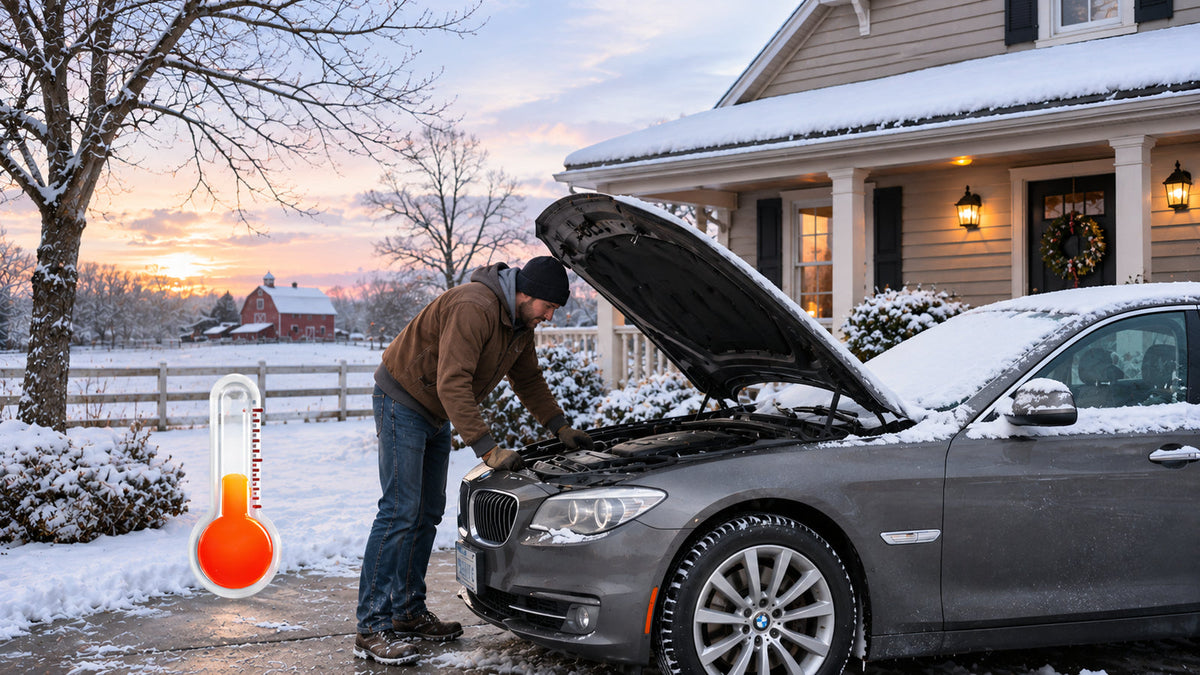
It's a freezing winter morning. You scrape the frost off your windshield, get into your car, and turn the ignition, only to find that the engine won't start.
If your dash cam has been running in parking mode all night, you might wonder whether it contributed to your car battery running flat.
Cold weather already puts additional strain on your car battery. Continuous parking monitoring makes battery management even more important, particularly for drivers who frequently park outdoors or make short trips during winter.
Fortunately, protecting your parked vehicle doesn't necessarily mean keeping a power-hungry camera running around the clock. With Vantrue's Always-On Video (AOV) and 1-Second TurboBoot technologies, drivers have access to ultra-low-power parking recording and faster impact-triggered recording.
1. Why Can Dash Cam Parking Mode Drain Your Car Battery in Winter?
Cold temperatures slow down the chemical reactions inside a conventional lead-acid car battery, reducing its ability to deliver the current needed to start the engine.
At the same time, engine oil can become thicker in cold weather, making the engine harder to start. In other words, your vehicle may require more starting power precisely when your battery is less capable of delivering it.
Several common winter driving and parking habits can make this problem worse:
Frequent short trips that don't give your car battery enough time to recharge.
Parking your vehicle outdoors overnight.
Leaving dash cam parking mode active for several consecutive days.
Using an aging or partially discharged car battery.
A dash cam that records when the car is off
The solution isn't necessarily to disable parking mode altogether. Instead, consider how your dash cam is powered, how much energy its parking mode consumes, and when it should automatically stop recording.
2. How to Prevent Your Dash Cam from Draining Your Car Battery in Winter?
Use a Hardwire Kit with Low-Voltage Protection
A compatible dash cam hardwire kit allows your camera to continue receiving power after the vehicle's ignition is switched off.
One of its most important features is low-voltage cutoff protection.
A hardwire kit with low-voltage protection monitors your car battery's voltage. Once the voltage reaches a preset cutoff threshold, the hardwire kit disconnects power to the dash cam.
This allows parking monitoring to continue while sufficient battery power is available, helping reduce the risk of excessive battery discharge.
However, low-voltage protection cannot guarantee that every vehicle will start successfully, particularly if the battery is aging, undercharged, or exposed to extremely cold temperatures.
Choosing the Right Voltage Cutoff in Winter
If your hardwire kit supports adjustable voltage protection, consider a more conservative cutoff during winter.
For a conventional 12V vehicle battery, a setting of 12.2V or 12.4V
The appropriate setting depends on your vehicle, battery type, battery condition, and the hardwire kit's specifications.
If you frequently leave your car unused for several days, consider limiting parking recording duration or using a dedicated dash cam battery pack rated for the expected temperatures.
Choosing a Low-Power Dash Cam for Winter Parking
While a hardwire kit with low-voltage protection helps reduce the risk of excessive battery discharge, it does not reduce the amount of power your dash cam consumes while recording.
That's why choosing a low-power dash cam
However, lower power consumption should not come at the expense of useful video evidence. A dash cam that only wakes up after detecting an impact may save power but could miss important footage leading up to an incident.
Ideally, a dash cam for winter parking should balance three key factors:
Key Factor
Benefit for Drivers
Low Power Consumption Reduces the additional electrical load on your car battery during extended parking.
Continuous Recording Coverage Provides visual context leading up to a parking incident.
Fast Recording Response Helps capture important footage as quickly as possible after detecting an impact.
Achieving this balance largely depends on the type of parking mode your dash cam uses.
So, which dash cam parking mode consumes less power while still providing useful video evidence?
3. Which Dash Cam Parking Mode Uses the Least Power?
Different dash cam parking modes use different recording and detection mechanisms, resulting in different levels of power consumption.
For example, conventional motion detection requires the camera to monitor changes within its field of view, while low-bitrate recording continuously captures video at a reduced bitrate.
Impact-only detection can achieve extremely low standby power consumption, but recording typically begins only after an impact is detected.
AOV parking mode offers another approach: maintaining continuous low-frame-rate recording while significantly reducing power consumption.
According to Vantrue's product test data, the following figures illustrate the differences in power consumption between selected parking recording modes.
Parking Mode
Power Consumption
Recording Mechanism
Motion Detection
3.56W
Monitors movement and supports buffered recording.
Low-Bitrate Recording
3.48W
Continuously records at a reduced bitrate.
AOV Impact Detection (1 FPS)
0.4W Continuous low-frame-rate recording with impact-triggered normal recording.
AOV Time-Lapse Recording (1 FPS)
0.4W Continuous low-frame-rate recording.
Source: Vantrue product test data, November 2026. Figures represent power consumption under the specified operating modes. Actual power consumption may vary depending on recording activity, device settings, and power supply configuration.
At just 0.4W, AOV reduces power consumption by approximately 89% compared with the tested motion detection standby mode and 88.5% compared with low-bitrate recording
For drivers who frequently park outdoors during winter, this lower electrical load can be particularly valuable.
4. How Does AOV Parking Mode Reduce Car Battery Drain in Winter?
What Is AOV Parking Mode?
AOV stands for Always-On Video, a low-power parking monitoring technology that maintains continuous recording at a reduced frame rate.
The Vantrue E1 Pro S offers two adjustable AOV recording frame rates:
1 FPS:
0.5 FPS:
The dash cam combines these frames into a time-lapse video, allowing it to document changes within its field of view without continuously recording at a conventional frame rate.
At 1 FPS, 30 seconds of real-world activity is compressed into one second of video playback. At 0.5 FPS, 60 seconds of activity is compressed into one second of playback.
This recording approach helps reduce the power required for continuous parking monitoring.
How Much Power Does the Vantrue E1 Pro S Use in Parking Mode?
According to Vantrue's product data, both AOV Impact Detection standby recording and AOV Time-Lapse Recording consume approximately 0.4W at 1 FPS
To put this difference into perspective, the following table illustrates the theoretical energy consumption of different parking recording modes over various parking durations.
Parking Duration
AOV (0.4W)
Motion Detection (3.56W)
Low-Bitrate Recording (3.48W)
8 Hours
3.20Wh 28.48Wh
27.84Wh
12 Hours
4.80Wh 42.72Wh
41.76Wh
24 Hours
9.60Wh 85.44Wh
83.52Wh
48 Hours
19.20Wh 170.88Wh
167.04Wh
Note:These figures are theoretical energy consumption estimates calculated by multiplying power consumption by recording duration. They do not represent actual vehicle battery runtime tests. Calculations exclude hardwire kit power consumption, power conversion losses, other vehicle electrical loads, and additional energy consumed during impact-triggered normal recording.
During a 12-hour winter night, assuming AOV maintains a constant power consumption of 0.4W, its theoretical energy consumption would be just 4.8Wh 42.72Wh
For drivers concerned about dash cam battery drain, this difference can help reduce the additional electrical load placed on their vehicle's battery.
5. Can a Low-Power Dash Cam Capture Footage Before and After an Impact?
Power consumption isn't the only factor that matters when choosing a dash cam with parking mode.
Imagine your car is parked at a shopping center when another vehicle hits it and drives away. If your dash cam only begins waking up after the collision, it may miss the approaching vehicle, the impact itself, or important details as the other driver leaves the scene.
This is one of the limitations of conventional sleep-based impact detection.
AOV: Low-Power Parking Recording with Pre- and Post-Impact Footage
The Vantrue E1 Pro S takes a different approach with its AOV Impact Detection mode.
While your vehicle is parked, the dash cam continuously records at a low frame rate of 1 FPS or 0.5 FPS. Once an impact is detected, the camera automatically switches to normal recording to capture more details of what happens next.
This approach can provide two types of video evidence:
Before the impact:
After the impact:
Unlike conventional impact-only detection, AOV does not rely entirely on waking up the dash cam after a collision occurs.
For drivers who frequently park outdoors, in public parking lots, or on residential streets, this means you don't have to completely sacrifice pre-impact footage to reduce power consumption.
Real-World Testing by Vortex Radar:
In his review, Vantrue E1 Pro S: The Go-To Front-Only Dash Cam?
His testing showed that the E1 Pro S switched from low-frame-rate AOV recording to normal video recording in approximately 0.6 seconds after detecting an impact
Vortex Radar highlighted how this approach combines low-power parking recording with the ability to retain footage leading up to an impact.
This balance is particularly valuable during winter, when drivers want to reduce car battery drain without unnecessarily sacrificing useful video evidence.
VIDEO
Video reference: Vortex Radar — Vantrue E1 Pro S: The Go-To Front-Only Dash Cam? (1:21–2:10).
1-Second TurboBoot: Faster Recording After an Impact
For drivers looking to minimize parking standby power consumption even further, the E1 Pro S also offers an impact detection parking mode supported by 1-Second TurboBoot technology
In the corresponding sleep-based impact detection mode, the dash cam can begin recording in approximately one second after detecting an impact, helping reduce the risk of missing important footage due to lengthy startup delays.
However, if capturing footage leading up to an impact is a priority, AOV Impact Detection may be the more suitable option.
6. Vantrue E1 Pro vs. E1 Pro S: Which Is Better for Winter Parking?
Both the Vantrue E1 Pro and E1 Pro S are compact 4K front-only dash cams designed for everyday driving.
However, the main reasons to consider upgrading to the E1 Pro S for winter parking are its new ultra-low-power parking recording technology and faster impact-triggered recording capabilities.
Feature
Vantrue E1 Pro
Vantrue E1 Pro S
Front Recording Resolution
4K
4K
Image Sensor Technology
Sony STARVIS 2
Sony STARVIS 2
HDR
Yes
Yes
License Plate Capture Technology
PlatePix™
PlatePix™ 2.0
Internal Power Backup
Supercapacitor
Supercapacitor
Conventional Parking Modes
Yes
Yes
AOV Parking Mode
No
Yes
AOV Power Consumption (1 FPS)
N/A
0.4W
AOV Impact-Triggered Normal Recording
No
Yes
1-Second TurboBoot
No
Yes
Compact Design
Yes
Yes
Who Should Choose the Vantrue E1 Pro?
If you primarily need a compact 4K dash cam for everyday driving and conventional parking modes already meet your needs, the E1 Pro remains a practical choice.
The E1 Pro S is worth considering if you:
Frequently park your vehicle outdoors overnight.
Are concerned about dash cam battery drain during winter.
Want continuous low-power parking recording.
Want to retain footage leading up to an impact.
Prefer faster impact-triggered recording.
The combination of 0.4W AOV parking recording and 1-Second TurboBoot makes the E1 Pro S an attractive option for drivers seeking a balance between parking protection and energy efficiency.
For existing E1 Pro owners, upgrading to the E1 Pro S may be particularly worthwhile if extended parking monitoring is one of your main priorities.
7. How to Set Up Your Dash Cam for Overnight Parking in Winter
Before leaving your vehicle parked overnight, take a few minutes to review your dash cam parking mode settings.
1. Check Your Car Battery's Condition:
2. Enable Low-Voltage Protection:
3. Choose a Low-Power Parking Mode:
4. Adjust Parking Recording Duration:
5. Keep Your Windshield Clear:
6. Consider a Dedicated Dash Cam Battery Pack:
No parking mode can completely eliminate battery-related risks, especially in extremely cold weather.
Combining energy-efficient parking recording technology with appropriate power protection measures is a more practical approach.
Conclusion: Protect Your Parked Vehicle While Reducing Car Battery Drain
The key to effective winter parking monitoring is finding the right balance between recording coverage, power consumption, and car battery protection.
Technologies such as 0.4W AOV parking recording, impact-triggered normal recording, and 1-Second TurboBoot
If you frequently park outdoors during winter, the Vantrue E1 Pro S offers a low-power alternative to conventional continuous parking recording while providing more ways to capture useful footage of parking incidents.
Pair your dash cam with a compatible hardwire kit, select an appropriate low-voltage cutoff setting, and choose a parking mode that suits your driving and parking habits.
→Discover the Vantrue E1 Pro S and get ready for the colder months ahead.
Frequently Asked Questions
Does AOV Parking Mode Reduce Car Battery Drain?
Yes. By recording at a reduced frame rate, AOV helps lower the power required for continuous parking monitoring.
According to Vantrue's product test data, AOV consumes approximately 0.4W at 1 FPS, representing an approximately 89% reduction in power consumption compared with the tested conventional motion detection standby mode.
What Is the Difference Between AOV and Traditional Time-Lapse Parking Mode?
Both technologies capture footage at a reduced frame rate.
However, AOV is specifically designed for ultra-low-power continuous recording. The Vantrue E1 Pro S also offers AOV Impact Detection, which switches to normal recording and locks relevant video files when an impact is detected.
Is AOV Better Than Motion Detection for Winter Parking?
If reducing power consumption while maintaining continuous low-frame-rate recording is your priority, AOV may be the more suitable option.
If you prefer recording triggered by movement within your dash cam's field of view, motion detection may be a better fit.
The best parking mode depends on your specific monitoring needs.
Can the Vantrue E1 Pro S Record Before a Parking Impact?
Yes. In AOV Impact Detection mode, the E1 Pro S continuously captures low-frame-rate footage before an impact is detected.
Once an impact occurs, the camera switches to normal recording and locks relevant video files according to the recording and event conditions.
Can I Leave My Dash Cam in Parking Mode Overnight in Winter?
Yes, provided your car battery condition, power supply, and parking mode settings are suitable for extended recording.
Using a compatible hardwire kit with low-voltage protection and choosing an energy-efficient parking mode can help reduce the risk of excessive battery discharge.
Actual parking recording duration depends on available battery capacity and environmental conditions.

Teilen:
Vantrue vs. Nexar Dash Cams: A More Complete Comparison Guide for 2026